WorldForge Studio
Now in beta · Open in your browser

Author a world once. Publish it everywhere.

Paint a hex map, then walk it in 3D, film a fly-through, print a table-ready atlas and export it to Godot, Unity, Unreal, Bevy or Foundry VTT — all from the same world file.

  • Runs in your browser — no install
  • Start without an account
  • Exports to 6 engines + print

Ships to

  • Godot
  • Unity
  • Unreal
  • Bevy
  • Foundry VTT
  • Adventure Craft
  • PDF atlas

One world, every projection

Author it once. Everything else is a view.

The editor, the 3D scene, the printed atlas and the engine exports all read the same world document. Change a river once and it moves everywhere.

01 · Author

Paint a living world in minutes

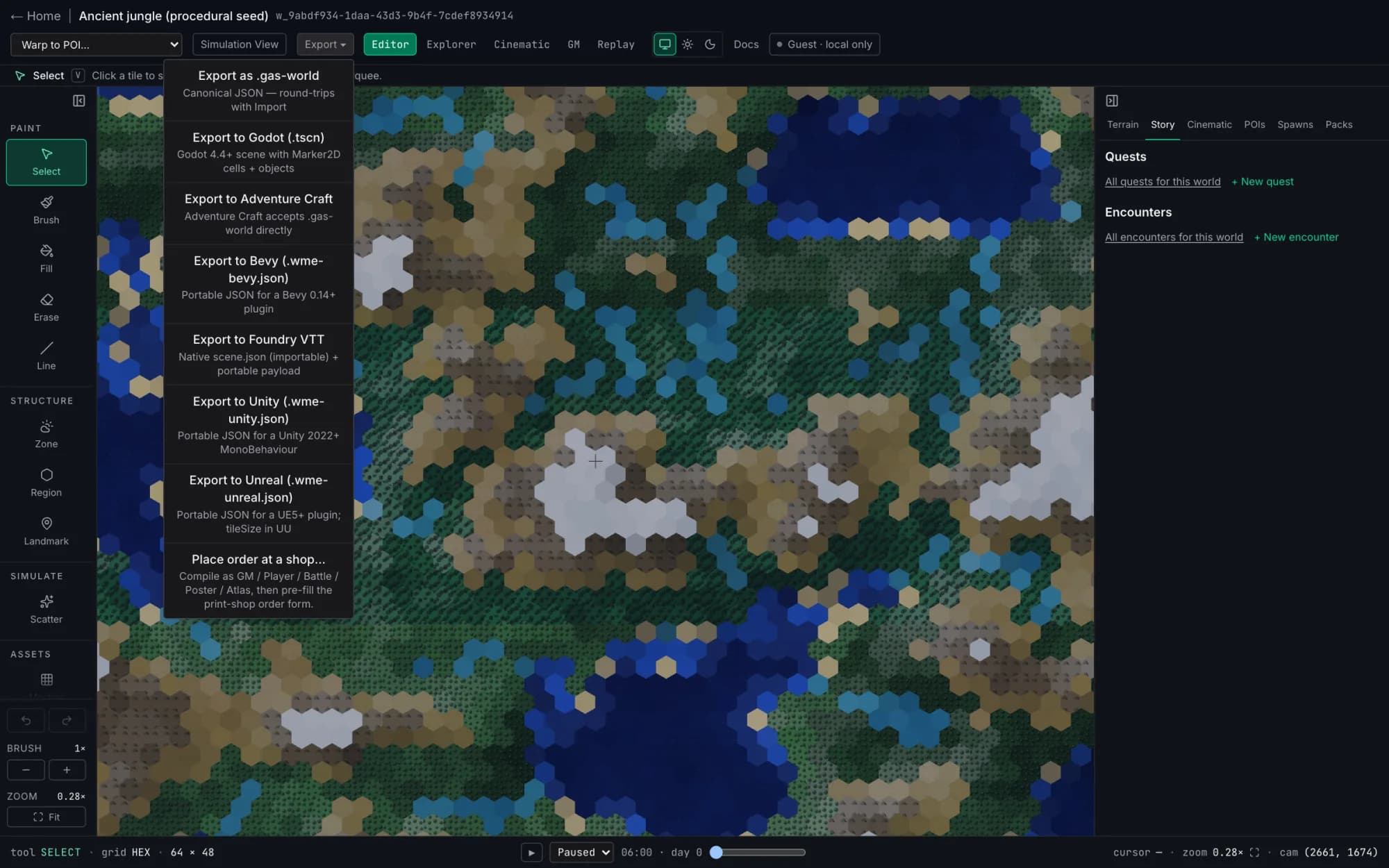
Start from a procedural jungle, dungeon or city — or a blank hex, square or freeform grid. Brush terrain, draw regions, drop landmarks. Every tile knows its biome, movement cost and encounter table.

  • Hex, square and freeform grids
  • Procedural starter templates
  • Undo/redo, zones, regions and landmarks
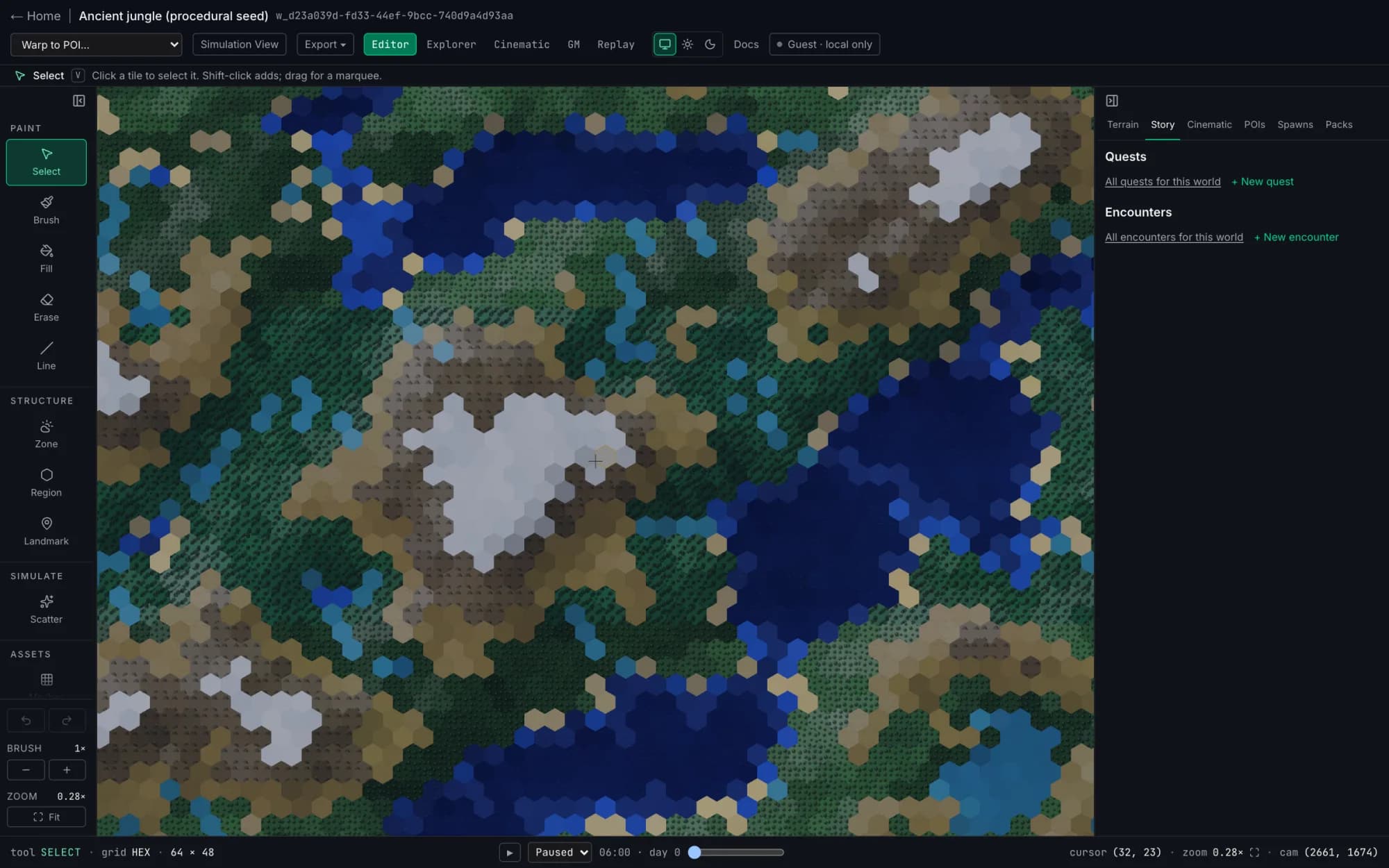
The 2D editor: a procedurally generated jungle hex map with the paint toolbar on the left and the story panel on the right

02 · Project

Step inside it in 3D

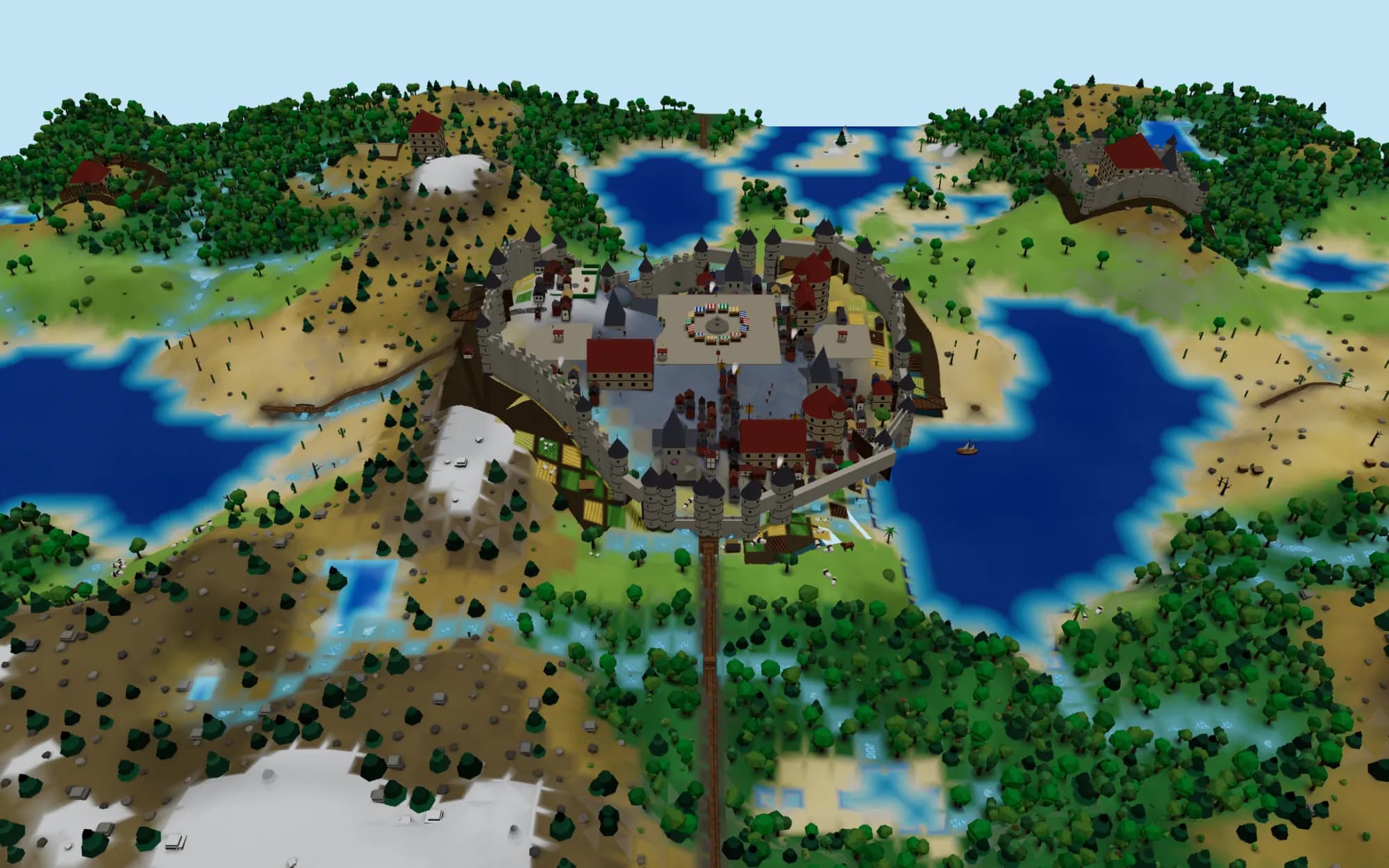
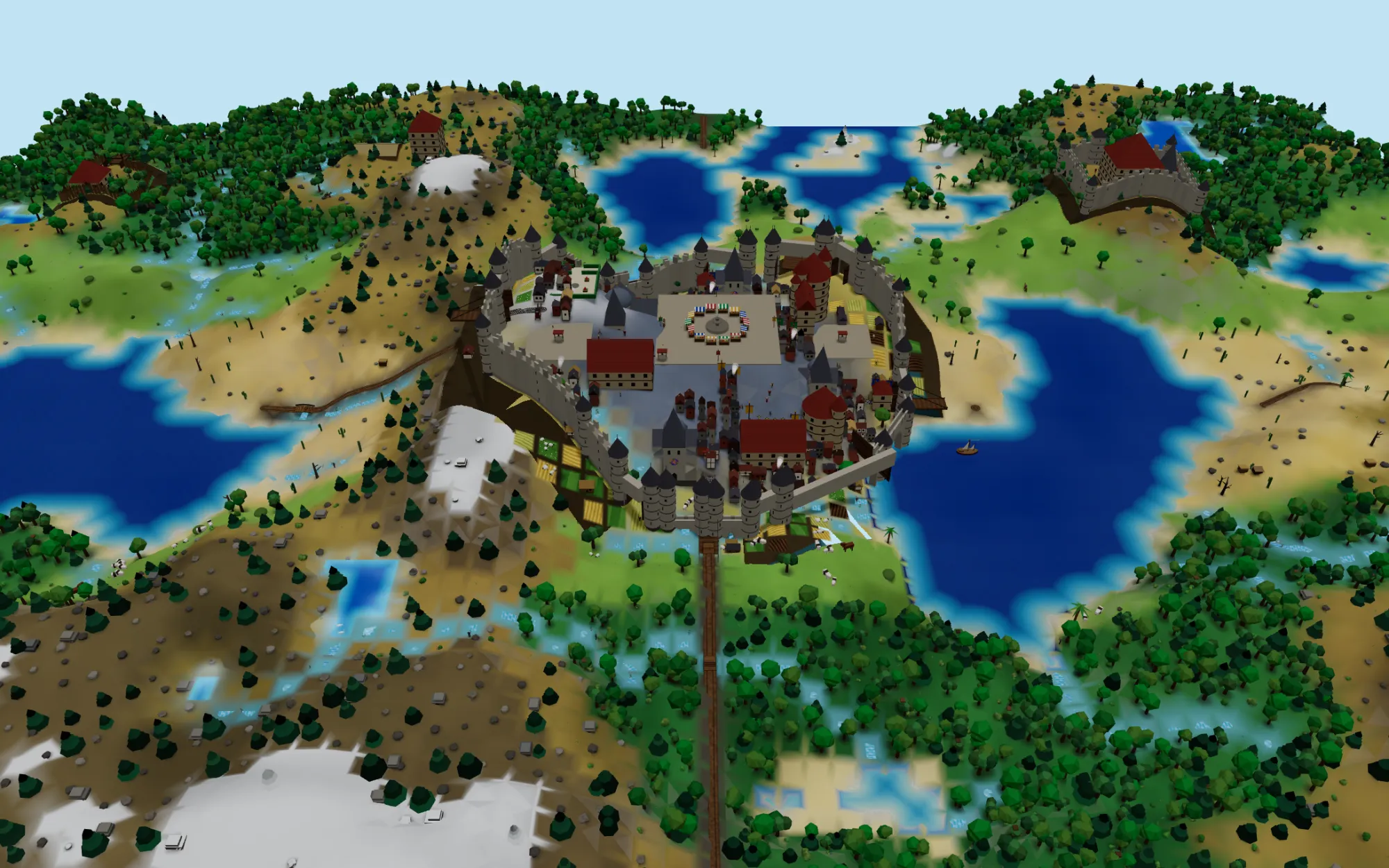
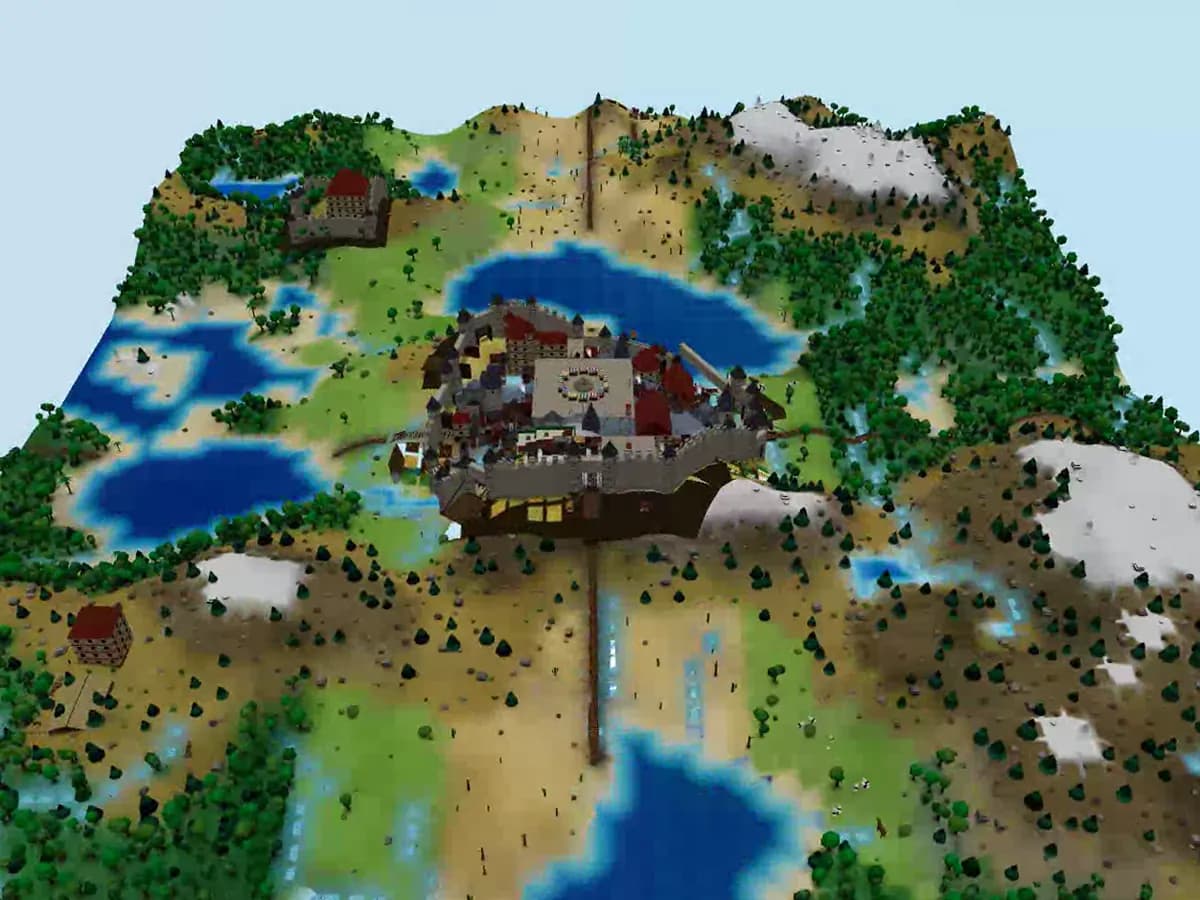
One click turns the same map into a 3D scene with elevation, water, weather and day/night. Walk it in first person, run the table from the GM view, or frame a fly-through in the Cinematic Director.

  • Weather, seasons and day/night
  • First-person explorer and GM view
  • Camera paths exported to MP4, WebM or GIF
The simulation view: a whole world in 3D, a stone-walled city with a market square and gates, castles in the hills, lakes, forests and snow-capped mountains

03 · Live

Towns with walls, castles and people in them

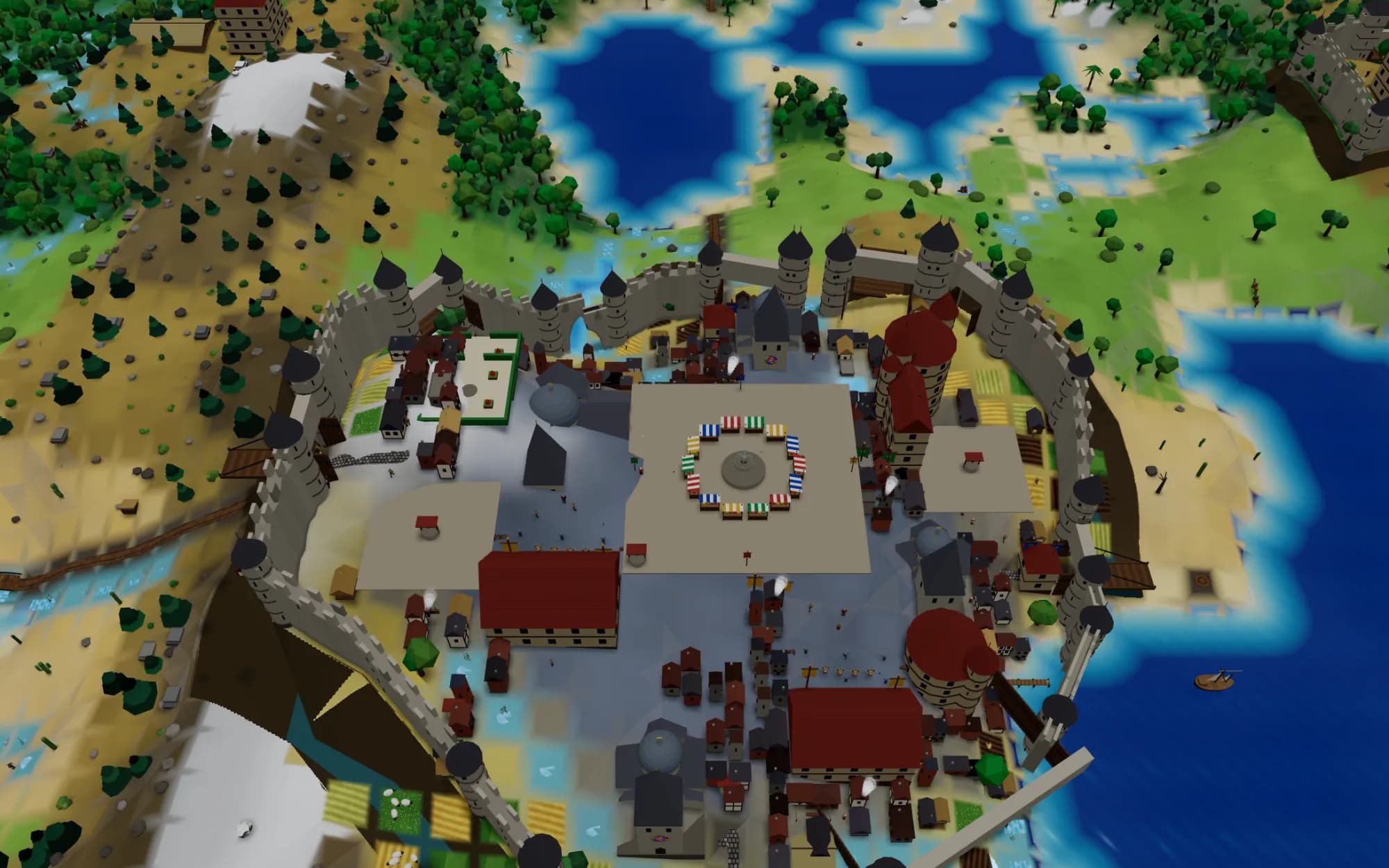
A town gets a wall, towers, gates and a moat, a market square, a church and a barracks; castles stand in the country in seven designs and four sizes. Then it comes alive: townsfolk, shopkeepers, guards on the towers, farmers in the fields, riders and carriages, all following the clock.

  • City walls with moats, gates and drawbridges
  • Squares, churches, shops, stables and castles
  • People, guards and carriages that follow day and night
A walled medieval city seen from above: stone walls with round towers, a market square with striped stalls around a fountain, churches, houses, and people in the streets

04 · Publish

Ship it wherever your players are

Export the world to your engine, print an A4 or A3 atlas with bleed, or package it as a pack for the marketplace. The world file stays the source of truth — every export is a projection, never a fork.

  • Godot, Unity, Unreal, Bevy, Foundry VTT, Adventure Craft
  • Vector PDF atlas — GM, player and poster modes
  • Portable .gas-world file that round-trips
The export menu listing .gas-world, Godot, Adventure Craft, Bevy, Foundry VTT, Unity and Unreal targets plus print-shop ordering

Built for

Whoever is building the world

Game masters

Prep a region in an evening. Run it from the GM view with fog of war, print player-safe maps, and keep the lore wiki pinned to the places it describes.

Indie game developers

Block out levels as data, not art. Export TileMaps, prefabs and landscapes to your engine, and re-export whenever the design changes.

Worldbuilders & writers

Grow a setting with quests, NPC schedules, dialogue and a wiki — then share it as a print atlas, a cinematic, or a pack others can build on.

Everything in one place

A creator platform for living game worlds

Maps that know what they contain. A jungle tile carries its biome, movement cost, visibility, encounter table, weather response and music — so every tool downstream gets the full picture.

  • Three editors, one canvas

    World, region and adventure builders — continents down to dungeon rooms — sharing one asset and terrain system.

  • 2D → 3D world engine

    Height mesh, animated water, weather, day/night, seasons, fog of war and chunked LOD, built on Three.js.

  • Cinematic Director

    Bezier camera paths, easing and depth of field. Export MP4, WebM or GIF, or share an interactive viewer.

  • First-person simulation

    Walk the world. NPCs keep schedules, memory and goals; quests, dialogue and factions run on top.

  • Print atlas engine

    A4 and A3 vector PDFs with embedded fonts and bleed, in GM, player and poster modes. Order prints from a local shop.

  • Six engine exports

    Godot TileMaps, Unity ScriptableObjects, Unreal Landscape, Bevy scenes, Foundry VTT modules and Adventure Craft worlds.

  • Pack Studio & marketplace

    Bundle terrain, monsters and items into a pack, publish it to the marketplace, or share a portable .gas-pack.

  • Branch, review, merge

    Fork a world into a draft, experiment freely, review the diff and accept changes back — with a snapshot for recovery.

  • Desktop, web and phone

    A desktop app for macOS and Linux, an installable web app that keeps working offline, and phone and tablet apps now in closed beta on iOS.

How it works

One world. Many worlds.

The map is not just art. The same document becomes a printable battle map, a 3D walkable world and a multiplayer zone — without ever duplicating the source data.

  1. 01

    Author

    Brush terrain, draw rivers and regions, place NPCs and quests. Hex, square or freeform grids — your choice.

  2. 02

    Project

    Switch to 3D to walk the world, or open the Cinematic Director to film a fly-through with weather, day/night and seasons.

  3. 03

    Publish

    Print an A4/A3 atlas, export to Godot, Unity, Unreal, Bevy or Adventure Craft, sync to Foundry VTT, or sell the world as a pack.

Questions, answered

Do I need an account to try it?

No. Open the editor and pick a starter template — your world lives in your browser. Sign in when you want to sync it, invite collaborators or publish.

What is the GAS format?

The Game Asset System is the interchange format shared by WorldForge, Adventure Craft and the game asset platform. Your world saves as a portable .gas-world file that round-trips through import and export.

Which engines and tools can I export to?

Godot 4.4+, Unity 2022+, Unreal 5, Bevy 0.14+, Foundry VTT and Adventure Craft — plus vector PDF atlases in A4 or A3 for the table.

Is it finished?

WorldForge is in beta. The editor, Pack Studio and all six engine exports are shipped; simulation, collaboration and mobile are still growing. The public roadmap tracks every milestone.

Your next world starts with one hex.

Open the editor, pick a template, and have a map you can walk, print and export before your coffee cools.